Convert GTBank Statement PDF to Excel or CSV
Convert your GTBank PDF bank statement to Excel or CSV in seconds — free for up to 100 pages/month. No template setup, OCR support for scanned statements.
Download your GTBank PDF statement (from online banking or the mobile app).
Drag and drop it into the upload box on this page, or select the file manually.
Transaction date, description, and amount columns are detected automatically — download the Excel/CSV output in seconds.
What You Get
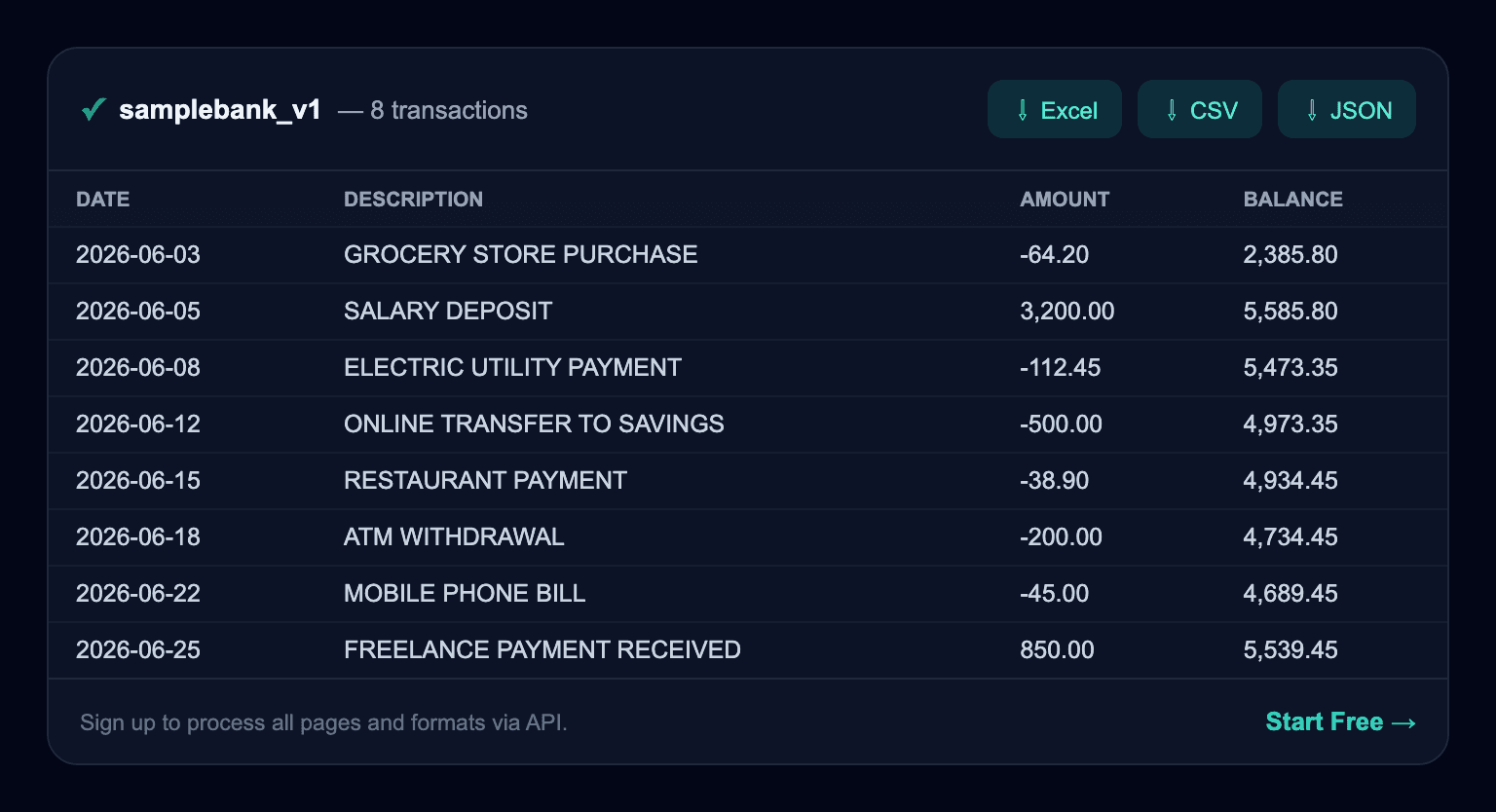
Illustrative example with sample data — your actual result will reflect your own statement.
Try It Now — Upload Your GTBank Statement
Drop PDF here or click to upload
Max 10 MB · Text-based or scanned PDF
Does GTBank offer its own export?
GTBank lets you download statements as PDF from online/app banking and some history as CSV, but the official statement that landlords, employers, and loan or visa checks require is the formatted PDF — usually bearing a bank stamp.
Comparison With GTBank's Own Export
| Feature | GTBank | Bank Statement Parser |
|---|---|---|
| Output format | CSV/OFX, limited date range | JSON/CSV/Excel from the full PDF you upload |
| Scanned/image PDF support | Not available | Supported via OCR |
| Other banks | Only works inside GTBank's own portal | 100+ banks, automatic format learning |
| Automation | Manual download only | REST API + webhook |
Things to Watch For With GTBank Statements
- Amounts are printed in the local currency (ZAR/NGN/KES) with comma thousand-separators, and many statements are password-protected — both need handling before a clean conversion.
- GTBank (Guaranty Trust) statements list Naira amounts with a Value Date and Transaction Date in separate columns.
Frequently Asked Questions
How do I convert a GTBank statement to Excel?
Drag and drop your PDF statement into the upload box on this page — the parser automatically detects transaction date, description, and amount columns and outputs Excel/CSV. No template setup required.
Does this work with scanned GTBank statements?
Yes — OCR support handles scanned or photographed older statements too, though accuracy can be slightly lower than with clean digital PDFs.